
After your purchase, you will receive a confirmation email from our system containing the download link for the premium version of the plugin and your license key.
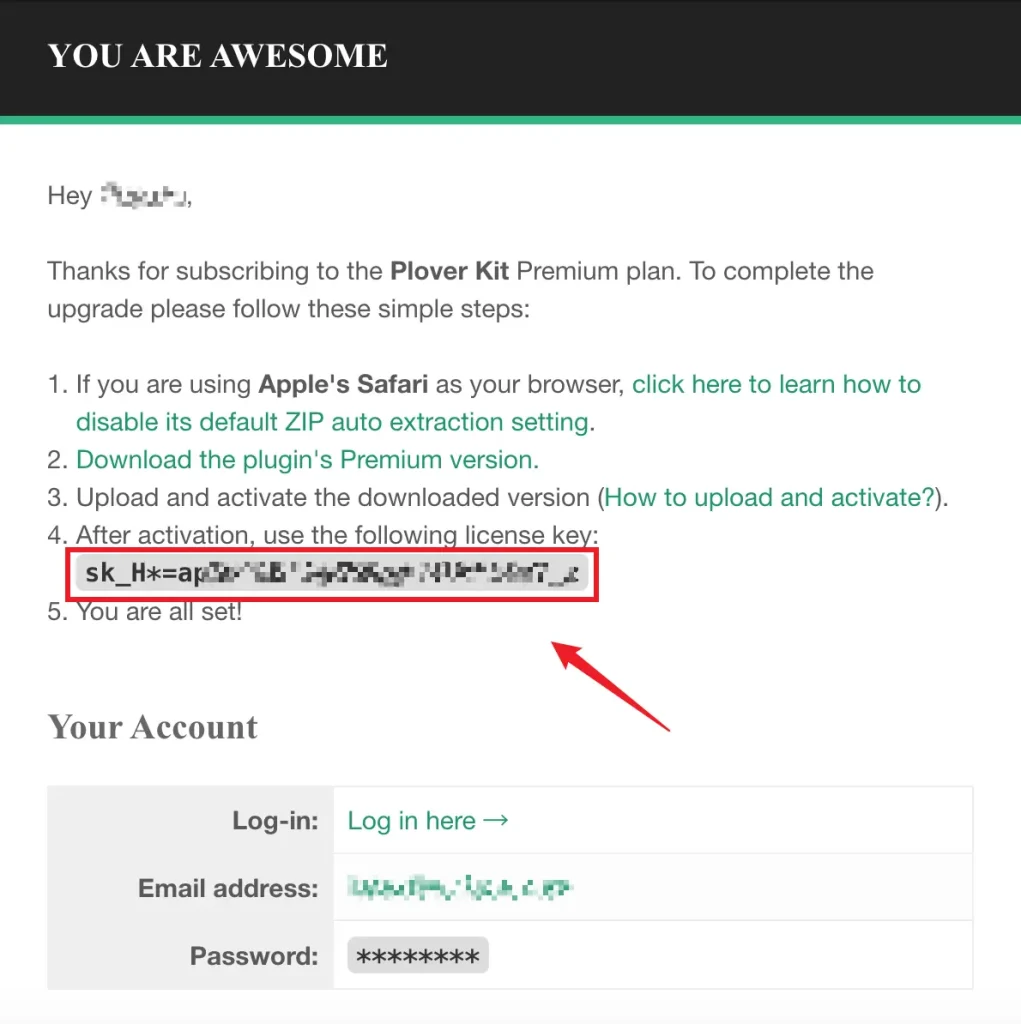
You may not be able to receive mail due to spam filters or other reasons. You can try adding [email protected] as your contact and resend your subscription email.
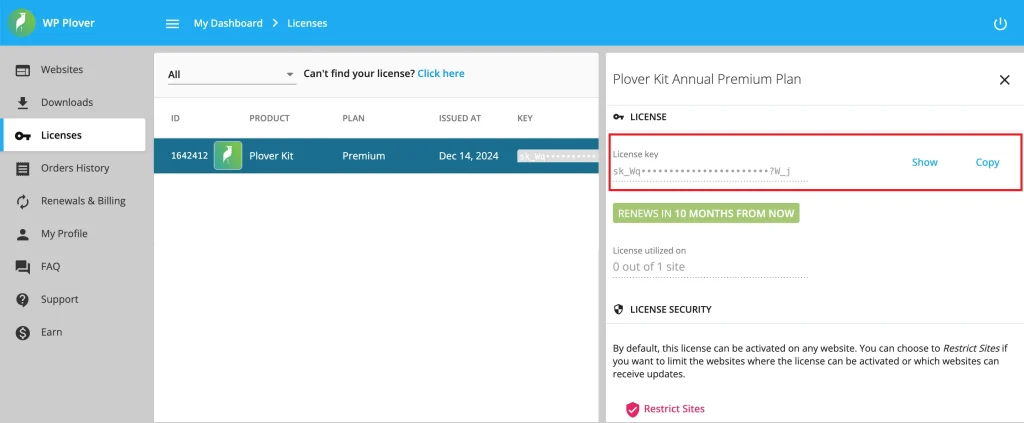
Another way to get your license is through the customer dashboard. You can log in to your customer account here using the email address you had when you purchase.
When you logged in, click on the Licenses menu on the left side, find and click on your active license, you can show or copy your license on the right side.
Leave a Reply