
First, you need to log into your customer dashboard, if you don’t know how to do that, please refer to:
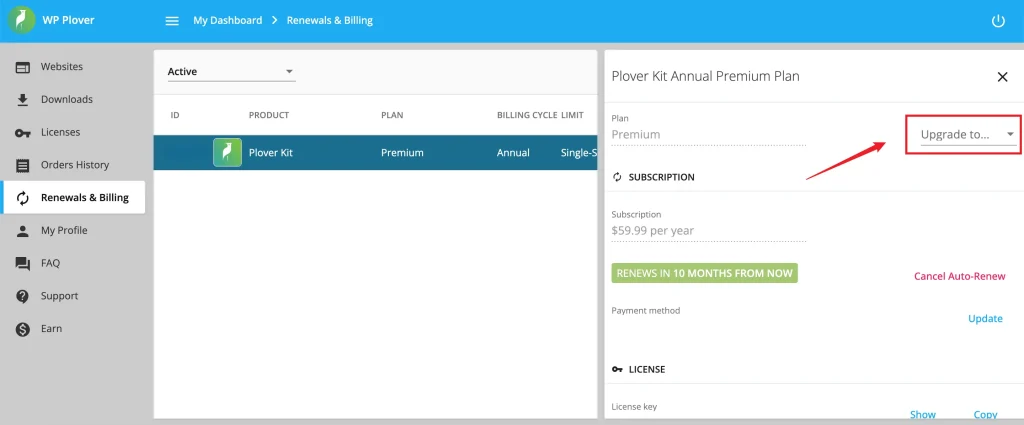
Navigate to the subscriptions section by clicking on the Renewals & Billing menu item. Locate the subscription that you’d like to upgrade its license’s sites limit and select it by clicking on its row. This will open the subscription’s advanced panel. Then, next to the plan, click on the Upgrade to… dropdown list and choose the plan and license you’d like to upgrade to. The initial payment will be automatically prorated.
Leave a Reply