
This document will guide you in moving a license from one site to another.
First, you need to log into your customer dashboard, if you don’t know how to do that, please refer to:
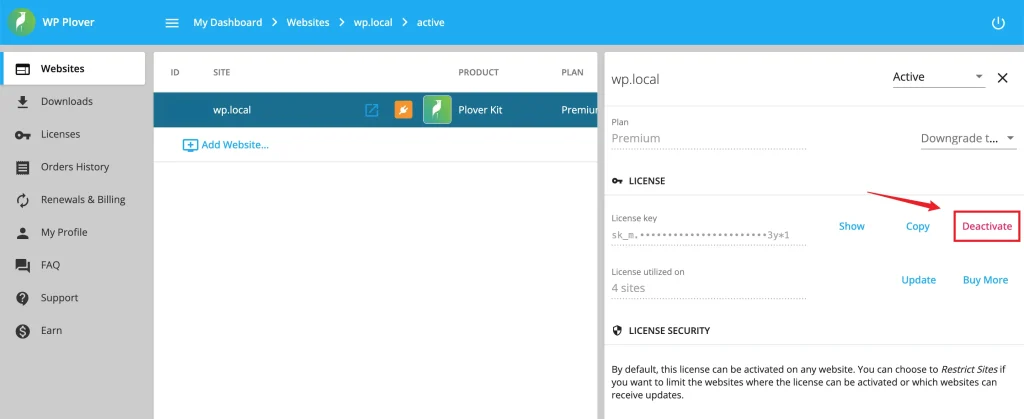
Then ho to the Websites section. Click on the row of the website that currently has the license activated. If there are multiple products running on that site, the next screen will show you all of those products. Simply click on the relevant product to open the details panel, where you’ll be able to click the Deactivate button under the LICENSE section.
Leave a Reply