
The Plover theme provides an out-of-the-box dark mode support for your website.
On the front, the user can switch to dark mode with the “Moon” button and back to light mode with the “Sun” button.
Add toggle button to your design
Plover provides a preset pattern so that you can add dark mode toggle buttons to any part of your website.
This feature is based on the site editor, if you are not familiar with the site editor, I suggest you read the following first:
First, click the blue “+” button in the upper left corner of the editor.

Then switch to the “Patterns” tab, search for “Dark Mode Toggle” in the input box and click on the pattern, then it will be added to the page.
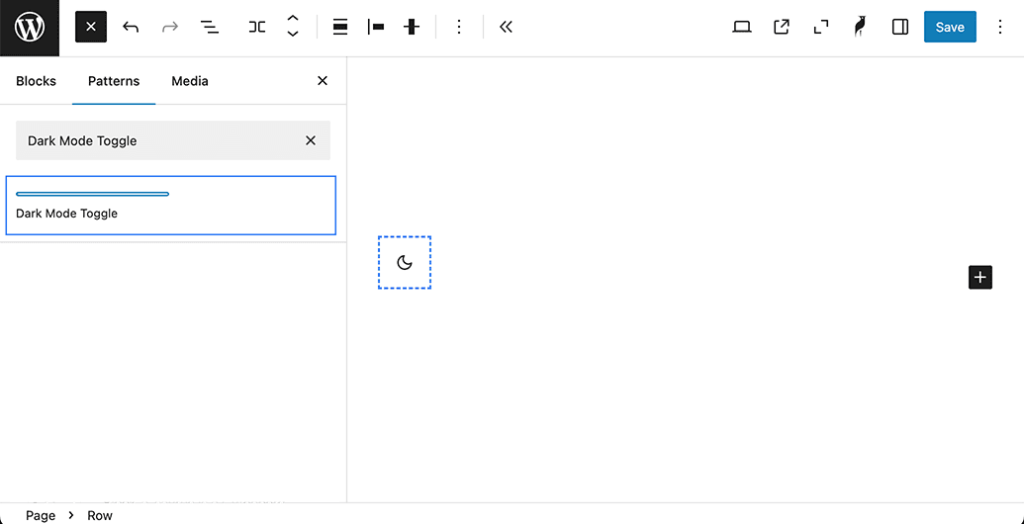
Preview Dark Mode in the editor
You can open the Plover Settings sidebar via the Plover Logo in the upper right corner of the editor.
Then you can easily toggle the dark mode in the editor to preview how your content will appear in different modes.
Leave a Reply